

If you’re running a small business, freelancing, or managing an e-commerce store, you know how tough it can be to keep up with social media. That’s where SocialBee comes in. It is a smart tool that helps you handle all your social posts in one spot. It saves time and makes your online presence stronger. In this guide, we’ll cover everything you need to know about SocialBee, from its features to pricing, so you can decide if it’s right for you.
As someone who’s helped clients streamline their social strategies, I’ve seen how tools like this can turn chaos into smooth sailing. Imagine a blogger who used to spend hours each day posting manually—after switching to SocialBee, they cut that time in half and saw more engagement from followers. Stories like this show why SocialBee stands out for marketers, bloggers, and e-commerce pros alike.
What is SocialBee?
SocialBee is an all-in-one social media management tool powered by AI. It lets you create, schedule, and share posts across platforms like Facebook, Instagram, LinkedIn, TikTok, and more. Think of it as your personal assistant for social media. You can plan your content ahead, track how well it’s doing, and even chat with your audience from one dashboard.
What makes SocialBee special is its focus on making things easy. For small business owners juggling multiple tasks, it means you don’t have to log into each social site separately. Freelancers love it because it helps manage client accounts without the hassle. And for bloggers or e-commerce sellers, it’s great for keeping a steady flow of posts that drive traffic and sales.
From my experience researching and testing tools, it shines in helping users stay consistent. One user, a book coach named Elli, shared how it condensed her posting into one spot, beating out other tools she’d tried. It’s built for people who want results without spending all day on social media. With integrations like Canva and Unsplash, you can pull in images and customize posts to match your brand perfectly.
Exploring SocialBee Social Media Management Features
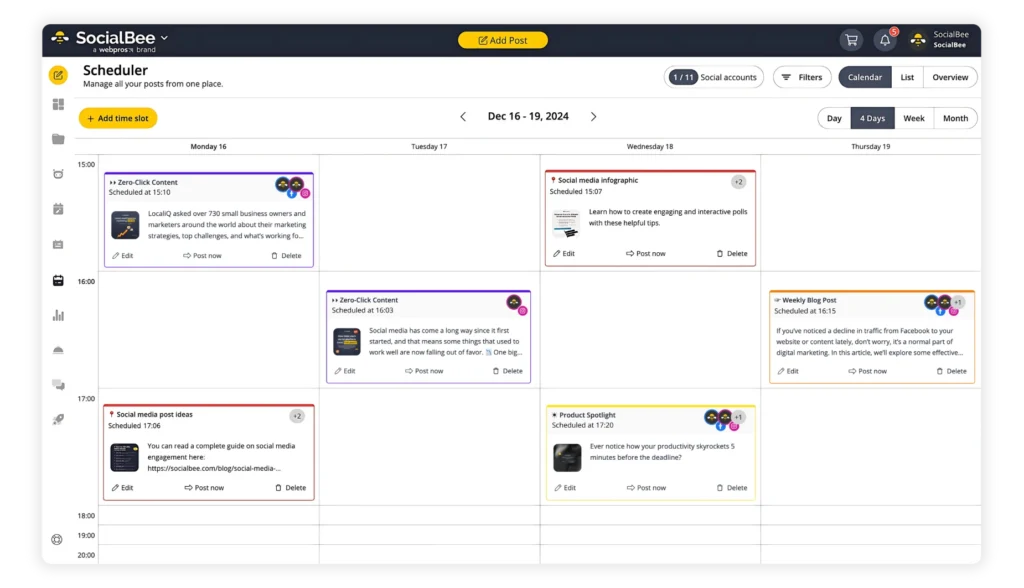
SocialBee social media management goes beyond basic posting. It offers a visual calendar where you can see your schedule at a glance—whether in a grid, list, or feed view. This helps you plan campaigns without missing a beat. The tool suggests the best times to post based on your past performance, so your content reaches more people.
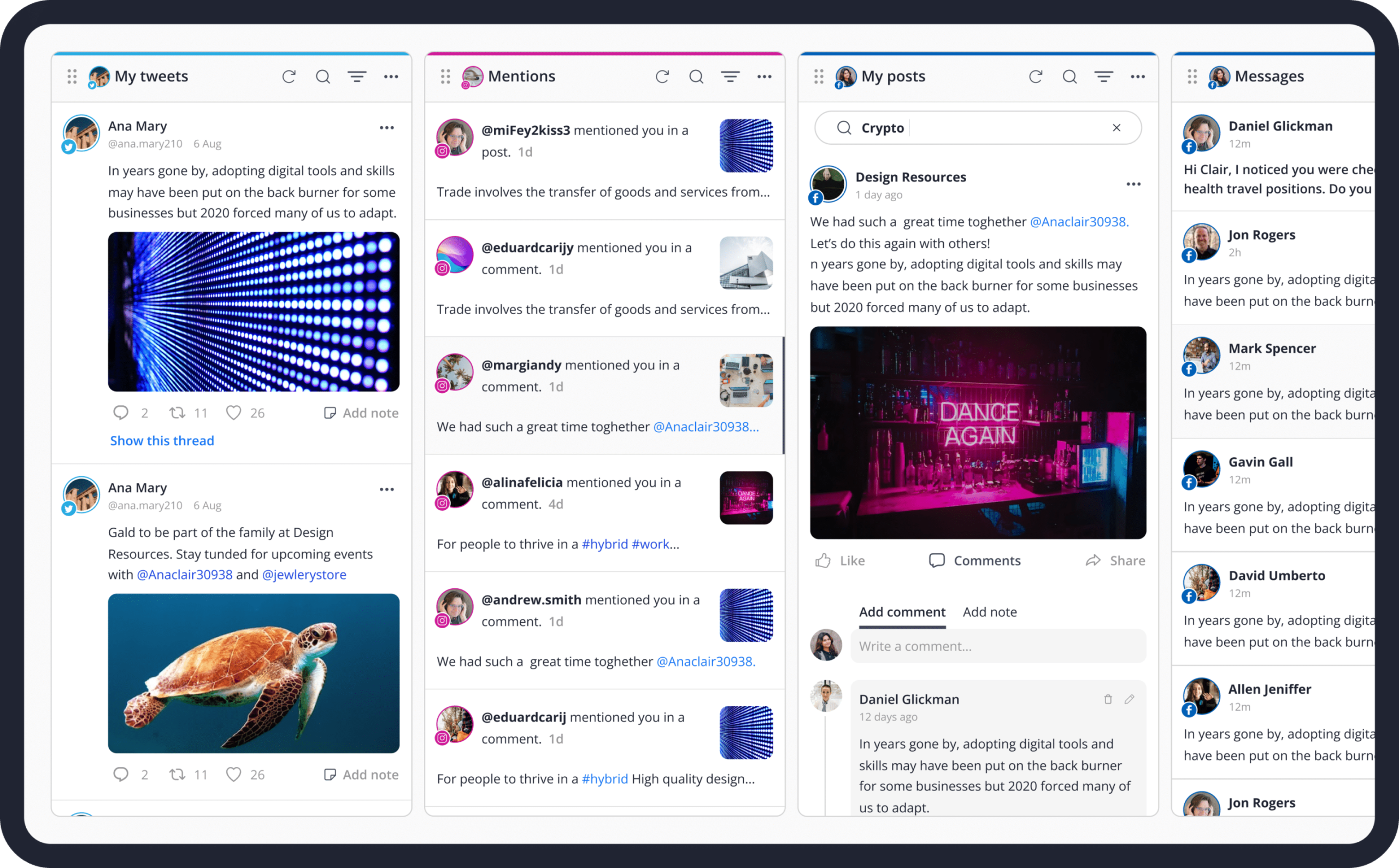
Engagement is another big win. SocialBee has a unified inbox where you can see mentions, comments, and messages from all platforms. No more switching tabs! For teams, collaboration features let you approve posts and assign roles, making it ideal for marketers working with others.
Engagement is another big win. It has a unified inbox where you can see mentions, comments, and messages from all platforms. No more switching tabs! For teams, collaboration features let you approve posts and assign roles, making it ideal for marketers working with others.
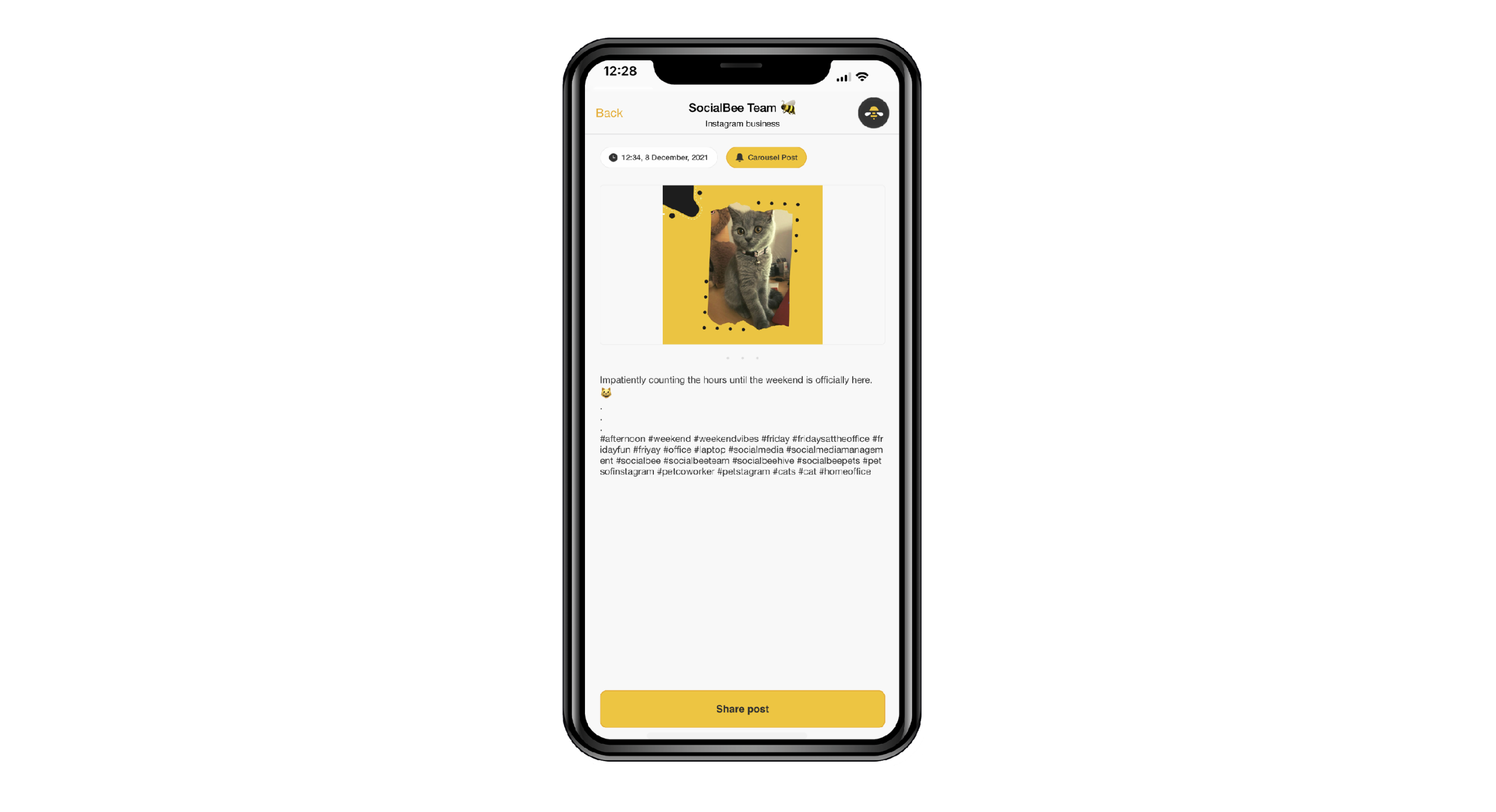
The SocialBee app adds flexibility too. Available on mobile, it lets you manage things on the go. Check analytics, respond to comments, or tweak schedules from your phone. A church pastor named Roger mentioned how it helped his group stay connected with their community consistently. Features like content categories keep your posts organized—think evergreen tips for bloggers or product promos for e-commerce.
Analytics round it out. Track follower growth, engagement rates, and top posts with easy reports. One CEO reported a 146% jump in new followers after three months. If you’re a freelancer handling multiple clients, the workspace options in higher plans let you separate brands neatly. Overall, they make management feel simple and effective.
Dive into SocialBee AI and the AI Post Generator
SocialBee AI takes your content game to the next level. The AI assistant, called Copilot, gives personalized tips on when and how to post for the best impact. It’s like having a smart coach in your pocket.
The star here is the SocialBee AI post generator. It creates captions, images, and hashtags using over 1,000 prompts. Need a fun Instagram reel idea? Or a professional LinkedIn update? Just input your topic, and it generates options in your preferred tone—funny, serious, or salesy. You can even summarize blog posts into social snippets.
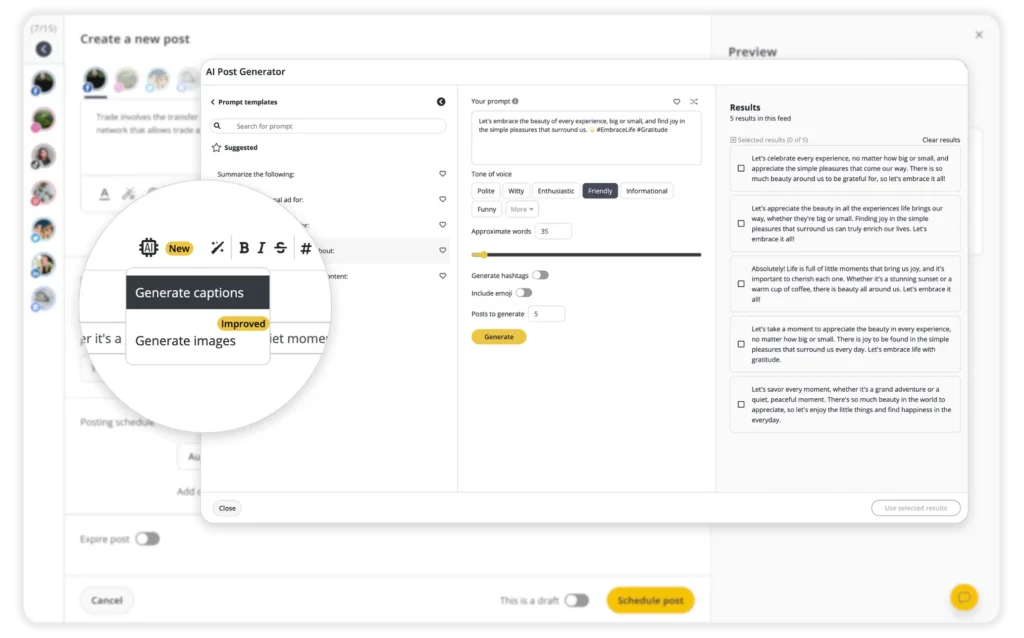
The SocialBee post generator works across platforms, with specific tools like the AI Facebook post generator or AI TikTok post generator. Test it out to see how it crafts high-converting content. A managing director named Reese praised it for providing everything needed in one platform, saving hours weekly.
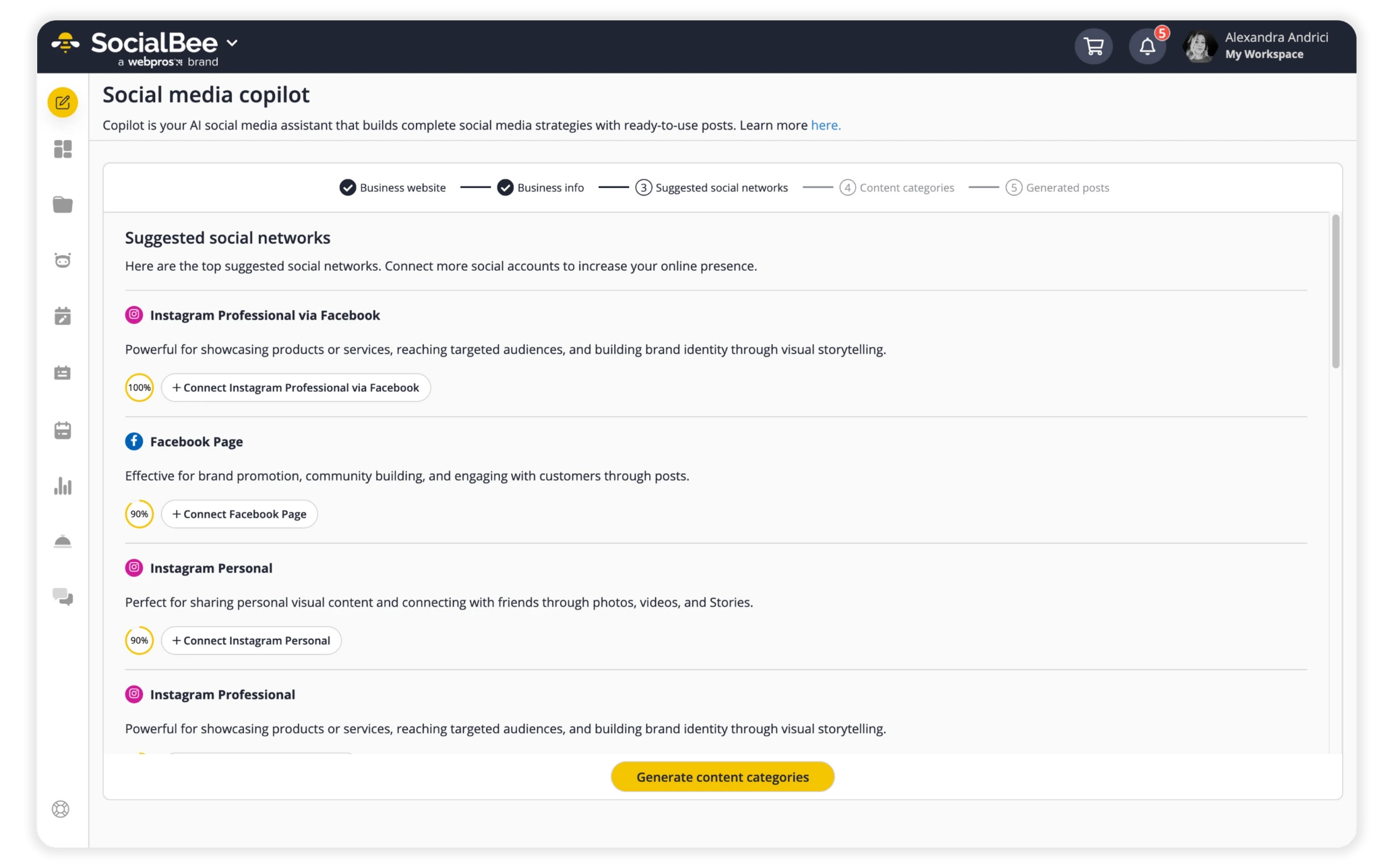
In my view, this AI edge is perfect for busy users. Imagine an e-commerce owner generating product teasers quickly, or a blogger turning articles into shareable bites. It integrates with tools like GIPHY for visuals, ensuring posts look great. No more staring at a blank screen—SocialBee AI sparks ideas and polishes them fast.
Is SocialBee Free?
No, SocialBee is not free—it’s a premium social media management tool with paid subscription plans starting at $29 per month. There is no completely free version or forever-free plan available. Instead, they focus on delivering full-featured access through affordable tiers designed for different user needs, from solopreneurs and freelancers to agencies and growing businesses.
The entry-level Bootstrap plan at $29/month (or lower with annual billing) includes solid basics like 5 social accounts, AI tools, content categories, scheduling, and analytics—perfect for bloggers, small e-commerce owners, or marketers just getting started. Higher plans like Accelerate ($49/month) and Pro ($99/month) unlock more accounts, unlimited categories, team collaboration, and advanced features.
This paid model ensures ongoing updates, reliable support, and powerful AI capabilities (like the post generator) without limitations that often come with free tools. Many users find the value far exceeds the cost—especially with yearly discounts that can save you up to 16% (or more with current promotions, like extra months free on annual switches).
If you’re ready to invest in consistent, professional social media growth without the restrictions of free alternatives, SocialBee is a smart choice. To see the full details and pick the right plan for you, head over to the subscription page through Wildcat Webworks. Our “Get Started” button makes it easy to view pricing and sign up smoothly. Your social presence could level up quickly!
Understanding SocialBee Pricing Options
SocialBee pricing is straightforward and affordable, starting at just $29 a month for the Bootstrap plan. This gets you 5 social accounts, 10 content categories, and up to 100 posts per category. It’s great for starters like freelancers or small bloggers.
Next up is Accelerate at $49 monthly, with 10 accounts and more storage for posts—up to 5,000 per category. For bigger needs, Pro is $99 and offers 25 accounts, unlimited categories, and team features for up to 3 users. Agency plans like Pro50 ($179), Pro100 ($329), and Pro150 ($449) handle more accounts and workspaces, ideal for marketers managing clients.
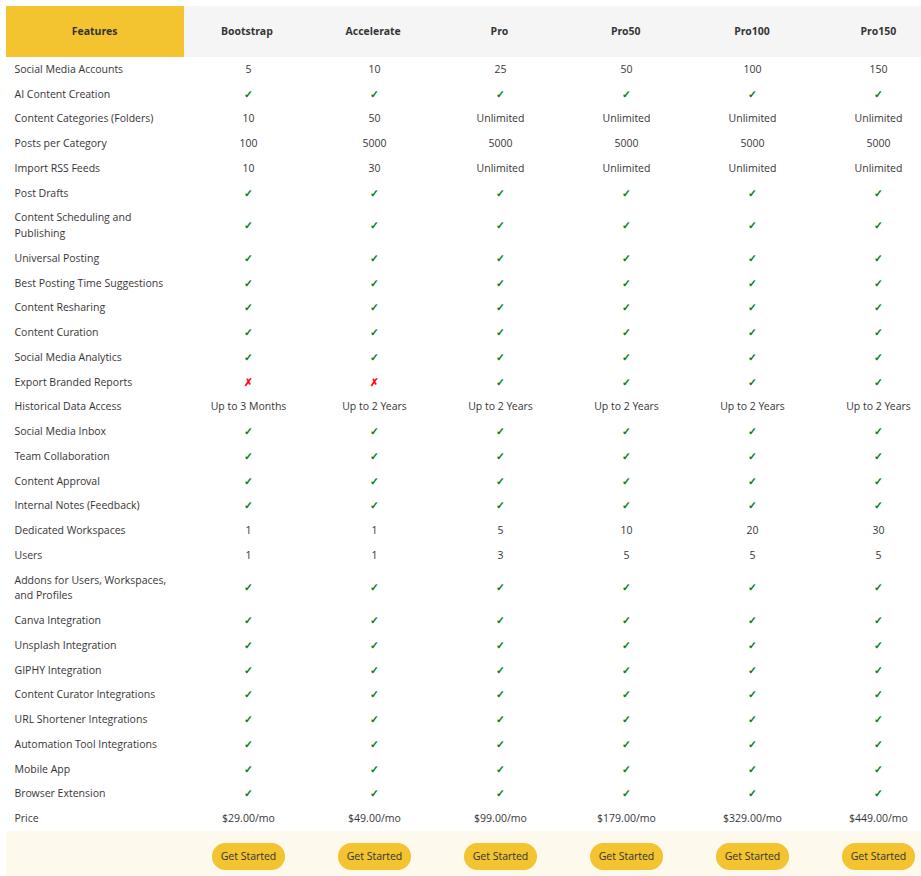
All plans include AI tools, scheduling, analytics, and the SocialBee app. Yearly billing saves money—about 16% off. Compared to pricier options, they give strong value. One user saved $600 a month by switching.
To get started, I recommend checking the subscription page through Wildcat Webworks. We make it easy to view packages and sign up. Explore pricing and pick a plan that fits your needs. It’s a smooth way to access SocialBee without extra hassle.
Real SocialBee Reviews from Users
SocialBee reviews are mostly positive, with ratings around 4.2 to 4.5 out of 5 on sites like G2, Capterra, and Trustpilot. Users love the ease of scheduling and AI features. A 2025 review on Blogging Wizard called it “industry-leading” for evergreen content, perfect for staying organized.
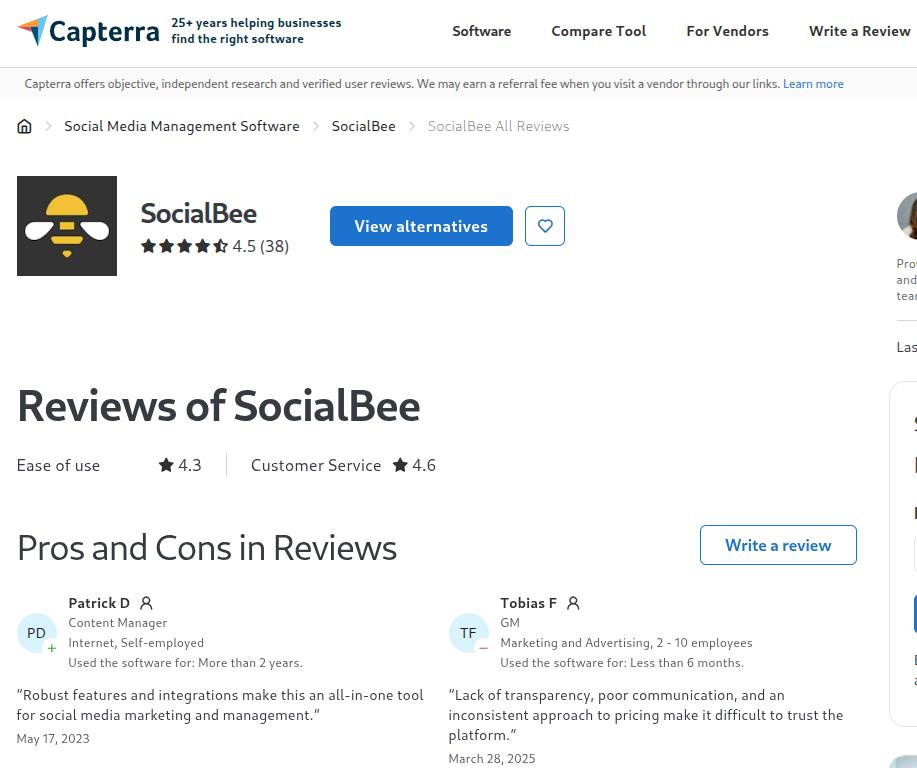
On AppSumo, it’s rated 4.36 from 137 users, with pros like time-saving and cons like occasional glitches in alerts. Reddit users in 2025 shared a 30-day test with 97 posts, noting strong structure for small teams. Trustpilot gives it 4 stars from 46 reviews, praising customer support.
One CEO said, “We’re much more productive now—it creates momentum.” A nonprofit user highlighted consistent posting. Some mention it’s better for recycling content than basic schedulers. Overall, reviews show SocialBee boosts engagement and saves time for real people, from pastors to coaches.
SocialBee Alternatives: Comparing Top Options
While SocialBee is a top choice, it’s good to know alternatives. Here, we’ll compare it to popular tools, focusing on how it’s benefits like AI and affordability stack up. These are based on user feedback and features as of 2026.
SocialBee vs Hootsuite
SocialBee vs Hootsuite often comes down to cost and simplicity. Hootsuite starts at $149 a month, while SocialBee is $29—saving you hundreds yearly. Both schedule posts and offer analytics, but it’s AI post generator is more hands-on for content creation.
Hootsuite has strong ad management, but SocialBee excels in content recycling and visual planning. Users say it is easier for small teams, with better support. If you’re a freelancer, its lower price and AI make it a smarter pick for everyday use.
SocialBee vs Buffer
In SocialBee vs Buffer, Buffer offers a free plan for 3 channels, great for beginners. But SocialBee starts cheaper for more accounts (5 at $29 vs Buffer’s paid tiers). It shines in AI-generated content and detailed analytics, while Buffer is simpler for quick posts.
Buffer lacks SocialBee’s content categories and recycling depth. Reviews note their better insights for engagement. For bloggers or e-commerce, their tools help maintain consistency without extra effort.
SocialBee vs Publer
SocialBee vs Publer highlights ease and features. Publer scores high on usability (9.5/10 on G2), but SocialBee’s 8.9 is close, with superior support at 9.5. Both schedule and recycle, but their AI prompts and integrations like Canva give it an edge for creative content.
Publer is affordable, but users praise SocialBee for team collaboration. If you’re a small business owner, their workspaces and analytics reports make tracking growth simpler.
SocialBee vs RecurPost
For SocialBee vs RecurPost, both focus on recycling evergreen content. RecurPost starts at $9, but SocialBee’s $29 includes more AI and engagement tools and it has better support ratings (9.5 vs 9.3 on G2).
RecurPost is strong for basic scheduling, but SocialBee adds a mobile app and unified inbox. Users report it alerts failed posts reliably. For marketers handling multiple clients, their features provide more value overall.
In the end, SocialBee stands out for its balance of AI, pricing, and management tools. If it sounds like a fit, click over to Wildcat Webworks’ subscription page to view plans and get started today. Your social media could be thriving in no time!